You've done everything right. You've found a product with solid demand. Your title has the keywords. Your pricing is competitive. Your PPC campaigns are running. And yet — the conversion rate sits stubbornly low, and you can't figure out why.
Here is the answer most sellers don't want to hear: your images are the problem. Before a shopper reads a single word of your listing — before they reach your bullet points, your A+ content, or your reviews — they have already made a judgment about your product based on what they see in the first two seconds. Poor images don't just fail to convert. They actively signal 'don't trust this seller' to the buyer's subconscious.
This article breaks down the 7 most common product image mistakes that are silently destroying conversion rates in 2026 — with the data behind each one and the specific fix. If your images match even three of these patterns, you've found the source of your CVR problem.
90% Of shoppers say image quality is a top purchase factor | 22% Of returns happen because product didn't match the images | 33% Higher CVR from high-resolution vs low-resolution images | $890B US product returns in 2024 — image mismatch is a major cause |
Sources: GrabOn Product Photography Statistics 2025, Salsify 2025 Consumer Research Report, NRF/Happy Returns 2024.
How Product Images Directly Connect to Your Conversion Rate
The direct answer: product images are the primary trust signal in online shopping — they replace the physical interaction a customer would have in a store. When images fail to communicate quality, accuracy, and product details clearly, shoppers do not convert. They bounce, or they return after purchasing.
The mechanism is straightforward. According to Baymard Institute research, 56% of online shoppers' first action on a product page is to explore the images — before reading the title, bullet points, or description. The images form a first impression that determines whether the shopper trusts the listing enough to continue. A poor first impression means the rest of your listing content never gets read.
DEFINITION | PRODUCT LISTING CONVERSION RATE |
Product Listing Conversion Rate: An ecommerce product listing's conversion rate is the percentage of product page visitors who complete a purchase — calculated as total orders divided by total sessions, multiplied by 100. In 2026, the global ecommerce average sits at 2 to 3%, with optimised listings hitting 4 to 5%+ and top performers reaching double digits on platforms like Amazon where buyer intent is inherently higher. |
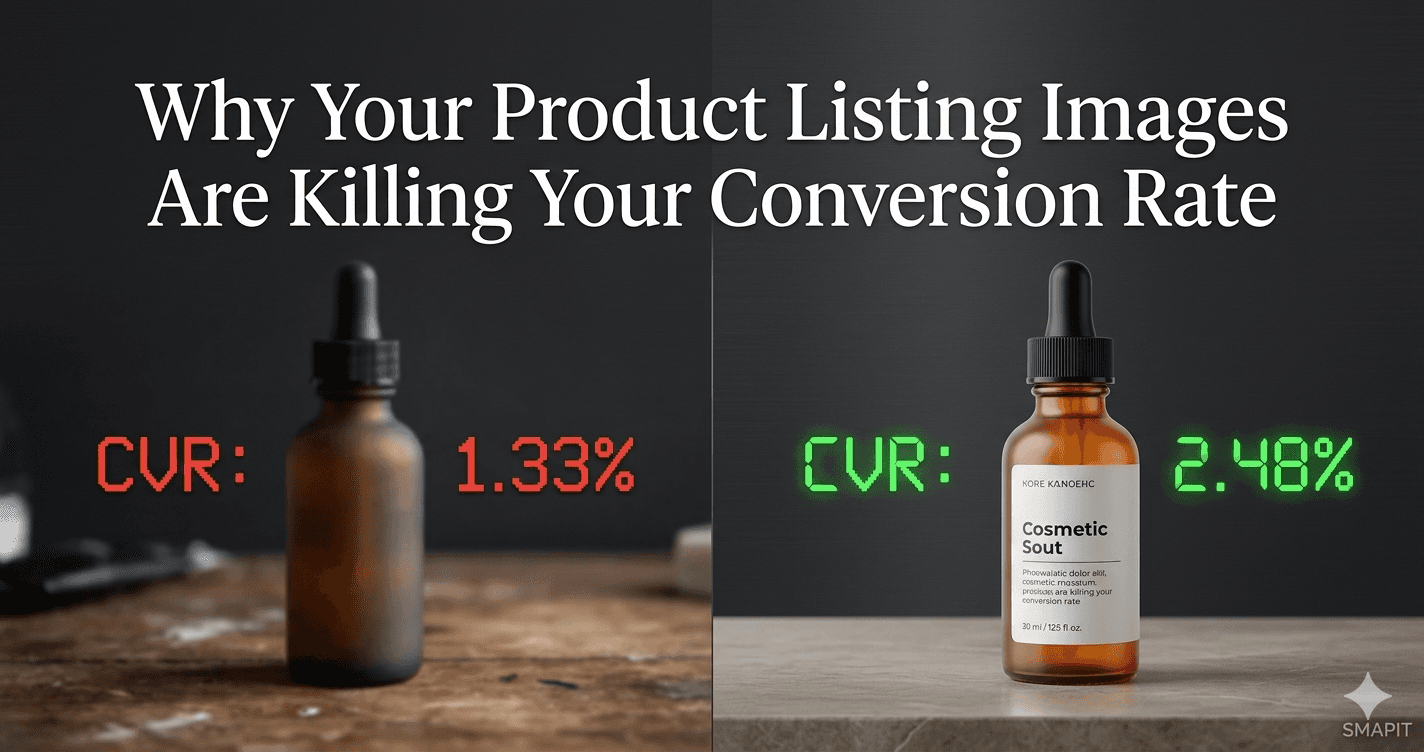
For context on how much images move this number: ASOS upgraded their product pages to include 360-degree views and high-quality photography in 2019. Their conversion rate moved from 1.33% to 2.48% — an 86% improvement driven primarily by image quality and format changes. A 28% increase in product image size in another documented case produced a 63% increase in conversions (AutoPhoto.ai, 2025). The lever is real and it is measurable.
7 Product Image Mistakes That Are Directly Costing You Sales
Work through this list. If you recognise your own listings in even three of these patterns, you have found your conversion rate problem.
Mistake 1: Low Resolution — Zoom Is Broken or Blurry
When a shopper clicks into your product listing, their first instinct is to zoom in to inspect quality, texture, or detail. If your image is under 1,000 pixels on the longest side, zoom is either disabled or produces a blurry result. Both outcomes communicate the same thing to the buyer: this seller is not confident in their product.
The fix is straightforward. Minimum: 1,000 x 1,000 px. Best practice in 2026: 2,000 x 2,000 px for Amazon, Shopify, and most marketplaces. High-resolution images — those enabling a crisp zoom experience — produce a 33% higher conversion rate versus low-resolution equivalents (GrabOn 2025).
Mistake 2: Too Few Images — Empty Slots That Answer Nothing
Amazon allows up to 9 images per listing. The majority of listings use 3 or 4. 60% of digital shoppers want to see 3 to 4 product images before deciding to buy — and 13% need 5 or more (GrabOn 2025). Sellers who use only 2 or 3 images are forcing every shopper in that second group to leave the listing with unanswered questions. Those unanswered questions become abandoned carts.
The fix: use every image slot available. Each slot must answer a specific buyer question. If you don't know what question each image answers, the slot is not earning its place.
Mistake 3: All Angles Look the Same — No Functional Variety
Six slightly different angles of the product against a white background is not an image strategy. It is the same image six times with the camera moved slightly. The shopper learns nothing new after the second shot and stops scrolling through the carousel.
Each image must serve a distinct purpose: main hero shot, feature infographic, lifestyle in-context, dimensions or scale, close-up detail, variant comparison, and packaging or contents. If your image stack has two or more images showing essentially the same information, consolidate them and replace the duplicates with content that answers a different buyer question.
Mistake 4: No Lifestyle or Context Image — The 'Does It Fit My Life?' Gap
White background images show what a product is. Lifestyle images show what a product does — and more importantly, whether it fits into the buyer's life. Without a lifestyle image, the shopper must mentally project the product into their context without any help. Many buyers won't do that work; they will simply not convert.
This is particularly damaging for furniture, home accessories, apparel, and beauty products — categories where context and aspiration are central to the purchase decision. A lifestyle image does not need to be complex. A product shown in use in a recognisable setting answers the question 'where and how would I use this?' that your product title and bullets never can.
Mistake 5: Missing Dimension or Scale Reference — The Return Waiting to Happen
Returns cost money — for the seller and the buyer. 22% of all ecommerce returns happen because the product appeared different in person from the images, and size mismatch is one of the top reasons (GrabOn 2025, CRO experts cited via Innovature). According to Baymard Institute, 42% of online shoppers rely on product images to gauge size before purchasing.
If your listing has no image that communicates the product's actual physical size — either through annotated dimensions, a scale reference object, or a hand holding the product — you are setting up a significant portion of your buyers for disappointment. That disappointment becomes a return, a negative review, or at minimum, a customer who never buys from you again.
Mistake 6: Poor Main Image — You're Losing Before the Click
Your main image is the only image shown in search results. It is the sole visual that determines whether a shopper clicks your listing or your competitor's. 30% of US online shoppers will not buy a product if the available images are of poor quality (GrabOn 2025). A blurry, poorly lit, or off-centre main image loses those shoppers before they ever see your price, your reviews, or your title.
For Amazon, the main image must be on a pure white background (RGB 255,255,255) with the product filling at least 85% of the frame. No text, no props, no logos. For Shopify and other platforms, a clean, well-lit hero shot against a simple or white background is the standard. If your main image does not inspire confidence at thumbnail size on a mobile screen, it is the single most important image to fix.
Mistake 7: Inconsistent Style Across the Catalog — Silent Brand Trust Erosion
A catalog where every product looks visually different — different lighting temperature, different background tones, different cropping styles, different image sizes — communicates one thing to a shopper browsing your store: this brand does not have a consistent standard. Inconsistency reads as unprofessionalism, which directly undermines buyer trust.
This problem compounds with scale. A 10-product catalog with 3 different image styles is manageable but noticeable. A 50-product catalog with images sourced from 5 different photographers over 3 years is a visual mess that communicates exactly the opposite of what premium product brands want to communicate.
Is your image stack causing silent conversion leakage? SMAPIT produces complete, consistent product image stacks — main image, lifestyle renders, infographics, scale shots, 360-degree views — from a single 3D model brief. Every image matches in style, lighting, and quality. No photoshoot required. Get a free sample render for your product at smapit.in |
The 7 Mistakes at a Glance: Problem, Impact, and Fix
Use this as a checklist for your existing listings. Flag any row that matches your current image stack and address them in priority order — Mistake 1 and Mistake 6 first, as they affect the widest audience.
Image Problem | What Happens to Conversion | The Fix |
Low-resolution images | Zoom breaks or blurs — buyer cannot inspect quality. 33% lower CVR than high-resolution. | Minimum 1,000 x 1,000 px. Target 2,000 x 2,000 px. Re-render or reshoot at correct resolution. |
Too few images | Buyer questions go unanswered — 13% of shoppers leave without converting if they can't see enough. | Use every available slot. Each image must answer a different buyer question. |
No functional variety | Shopper stops scrolling after image 2 — identical angles communicate nothing new. | Replace duplicates with: infographic, lifestyle, dimension, detail, variant, or contents shot. |
No lifestyle image | Buyer cannot visualise product in their context — especially damaging for home, beauty, apparel. | Add at least one lifestyle or in-use image showing product in a recognisable real-world setting. |
No dimension or scale | 22% of returns from size mismatch. 42% of shoppers use images to gauge size. | Add annotated dimension shot or scale reference image (hand, common object, or room context). |
Weak main image | 30% of shoppers won't buy if images are poor quality — and they never even see your listing. | Hero shot: professional, zoom-enabled, 85% product fill, clean background, sharp at thumbnail size. |
Inconsistent catalog style | Silent trust erosion — mixed styles communicate no brand standard. | Establish a consistent visual style: same lighting tone, background, crop ratio, and colour grading across all SKUs. |
Note: 'Fix' column assumes the product exists. For pre-launch or variant-heavy catalogs, 3D CGI rendering resolves all 7 issues simultaneously from a single production brief — with guaranteed consistency.
Why CGI Rendering Fixes All 7 Problems Simultaneously
The 7 mistakes above share a common root cause: inconsistent, under-resourced, or logistically constrained visual production. Traditional product photography, even when done well, introduces variability between sessions, photographers, lighting setups, and editing styles that erodes catalog consistency over time.
3D CGI rendering eliminates these variables by producing every image from the same controlled digital environment:
Issue Fixed By CGI | How |
Resolution | CGI renders at 4K+ by default — every image is zoom-ready without additional cost |
Image count | All 9 image types produced from one model: hero, lifestyle, infographic, dimensions, detail, variants, packaging |
Functional variety | Different scenes, angles, and environments are software settings — not additional shoots |
Lifestyle images | 3D environments are unlimited — place the product in any room, setting, or context in software |
Dimension accuracy | Exact product dimensions are built into the 3D model — annotated dimension overlays added in post |
Main image quality | CGI produces perfect white backgrounds (RGB 255,255,255) and centred products every single render |
Catalog consistency | Every product is rendered with the same lighting model, colour profile, and style settings — guaranteed |
Key Takeaways: Product Images and Conversion Rate in 2026
• Product images are the first and most influential element a shopper evaluates — 56% explore images before reading anything else on a product page.
• The 7 most common image mistakes are: low resolution, too few images, no functional variety, no lifestyle image, no dimension reference, a weak main image, and inconsistent catalog style.
• The measurable cost is real: 33% lower CVR from low-resolution images, 22% of returns from size mismatch, 30% of shoppers who won't buy if quality is poor.
• ASOS improved their conversion rate from 1.33% to 2.48% — an 86% lift — primarily from upgrading image quality and adding 360-degree views.
• 3D CGI rendering resolves all 7 image mistakes simultaneously, producing consistent, zoom-ready, multi-format image stacks from a single production brief — without a photoshoot.
FREQUENTLY ASKED QUESTIONS — FAQPAGE SCHEMA READY
Add all 7 Q&As to Framer page head as FAQPage JSON-LD schema before publishing.
Q: How do product images affect ecommerce conversion rate?
A: Product images are the primary trust signal in online shopping — 56% of shoppers explore images before reading any other listing content. High-resolution images produce 33% higher conversion rates than low-resolution alternatives. Poor images don't just fail to convert; they actively signal low quality to buyers, increasing bounce rates and reducing purchase confidence across the entire listing.
Q: What is the most important product image for conversion rate?
A: The main image has the highest single impact on conversion because it is the only image visible in search results. It determines whether a shopper clicks your listing at all. It must be high resolution, on a clean white background, with the product filling at least 85% of the frame — and it must inspire confidence at thumbnail size on a mobile screen, where most shopping happens in 2026.
Q: How many product images do I need to maximise conversion rate?
A: Use every available image slot — Amazon allows 9, Shopify allows as many as your theme supports. Research shows 60% of shoppers want to see 3 to 4 product images before deciding to buy, and 13% need 5 or more. More importantly, each image must serve a different purpose: main shot, infographic, lifestyle, dimensions, detail, variant, and packaging. Duplicate angles add no conversion value.
Q: Why are product returns linked to listing images?
A: 22% of ecommerce returns happen because the received product appeared different from the listing images. Size mismatch is a top return driver — 42% of shoppers use images to gauge product size before purchasing. Listings without a clear dimension reference, scale shot, or accurate colour representation set up a proportion of buyers for disappointment, regardless of product quality.
Q: What is a good ecommerce product listing conversion rate in 2026?
A: The global ecommerce average sits at 2 to 3% in 2026, with top-performing stores reaching 4.7% or higher. Amazon listings benefit from inherently higher buyer intent, with well-optimised listings converting at 10 to 15%. A listing with poor images can sit below 1% regardless of traffic quality, while the same product with professional, complete imagery regularly reaches above-average performance.
Q: Can CGI renders replace photography for fixing image quality issues?
A: Yes. 3D CGI rendering produces photorealistic product images at 4K resolution with perfect white backgrounds, built-in dimension accuracy, unlimited lifestyle scenes, and guaranteed catalog consistency — all from a single production brief. It resolves all 7 common image mistakes simultaneously without requiring a photoshoot, physical samples, or studio setup, making it the most cost-efficient solution for brands with multiple SKUs.
Q: How long does it take to see a conversion rate improvement after fixing product images?
A: Conversion rate changes after image upgrades are typically visible within 2 to 4 weeks on platforms with sufficient traffic volume. ASOS saw measurable conversion improvement shortly after their image upgrade program. On Amazon, updated images often see algorithmic response within the same period as the listing's conversion signal improves. Brands with lower traffic may need 4 to 8 weeks of data to confirm statistically meaningful change.
Conclusion
Your conversion rate is not just a marketing problem. It is a visual communication problem. Every buyer who visits your listing and doesn't convert made that decision in the first two seconds — before they reached your carefully crafted bullet points, your competitive price, or your strong reviews.
The 7 image mistakes in this article are fixable. Some require a re-shoot or an upgrade. Some require simply filling image slots that are currently empty. And for brands with multiple SKUs, variants, or regular catalog updates, 3D CGI rendering resolves all of them simultaneously — with consistency that traditional photography cannot guarantee at scale.
Start with your main image and your weakest-performing listings. Measure. Then move through the rest of the stack systematically. The data is clear on what good images produce. The question is how quickly you act on it.
Ready to fix your product image stack and improve your conversion rate? SMAPIT produces complete, consistent product image stacks from a single 3D model brief — main image, lifestyle renders, infographics, scale shots, and more. No photoshoot. No physical samples. Delivered in 48 to 72 hours. Get a free sample render for your product at smapit.in |
About the Author SMAPIT Media Team SMAPIT Media is a 3D product visualization and CGI studio serving ecommerce brands across India, the US, and UAE. We produce photorealistic 3D product renders, Amazon listing image stacks, lifestyle scenes, A+ content visuals, and product animations without a photoshoot. We write from direct production experience across 50+ brands. smapit.in | India (Gurugram) | United States | UAE |